 BooksDash
QuickBooks Online + Power BI · Early access
Your QuickBooks numbers, ready in Power BI
BooksDash keeps your QuickBooks Online data in sync and gives you ready-made reports for profit and loss, cash and receivables. Nobody has to build a report or export a spreadsheet.
Who it's for
For finance teams that outgrew QuickBooks reports
Your Power BI connector stopped working
Microsoft retired the Power BI QuickBooks Online connector in 2025. BooksDash is an alternative that keeps your reports refreshing without exports.
Month-end lives in a spreadsheet
Owners, controllers and fractional CFOs get P&L, cash and receivables in one place, updated without anyone touching a spreadsheet.
You report for many clients
Accounting firms get the same reports across all their QuickBooks Online clients.
How it works
Connect once. The reports keep themselves current.
Connect QuickBooks Online
Choose Connect to QuickBooks and pick your company. It takes a couple of minutes.
BooksDash syncs your books
Your QuickBooks data lands in Microsoft Fabric and stays in sync on a schedule, up to once a day.
Open your reports
Ready-made Power BI reports for the whole business. Export any of them to PDF or PowerPoint.
The reports
The numbers you rebuild every month, already built
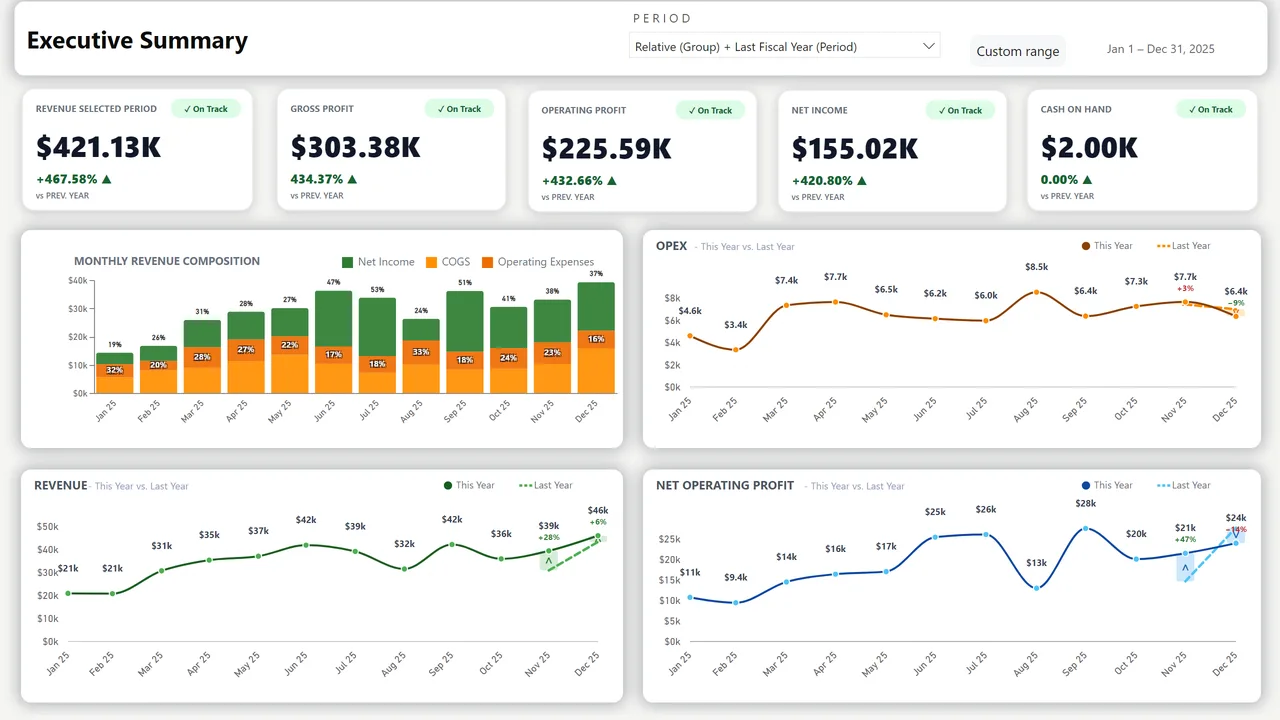
Executive Summary, Revenue, P&L Detail, Customers and Receivables, Cash and Liquidity, and P&L Category Detail.
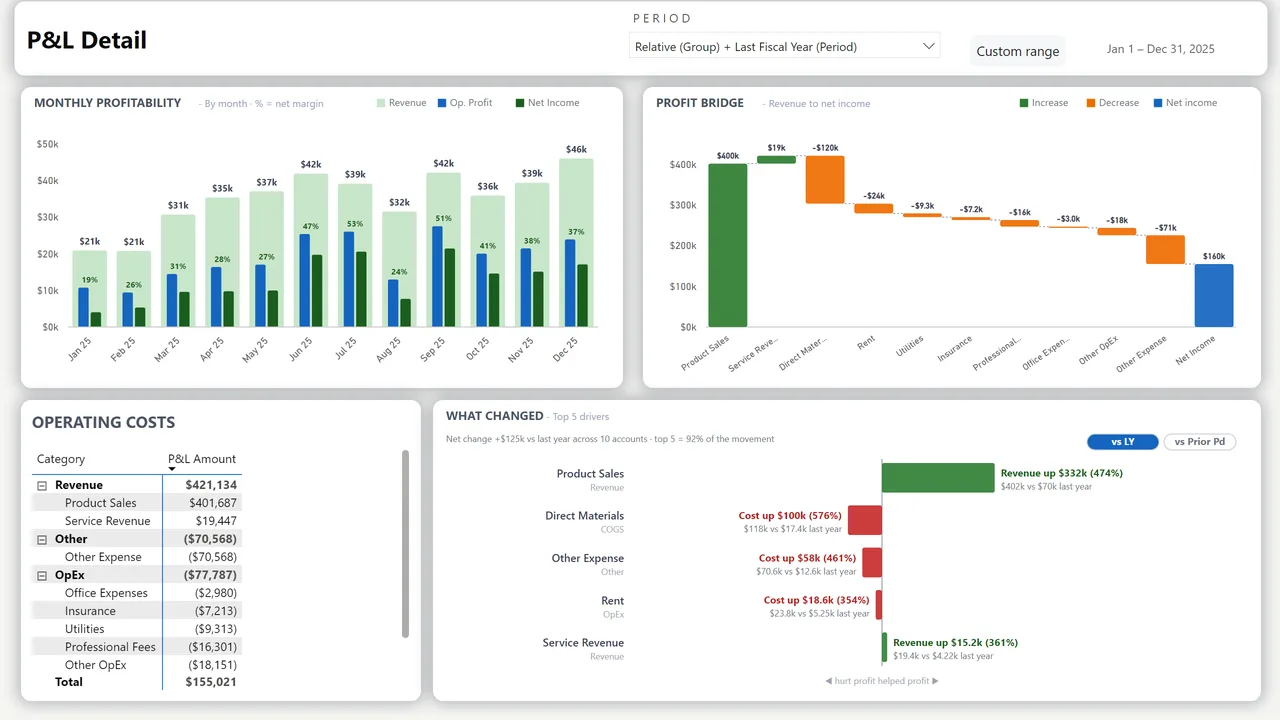
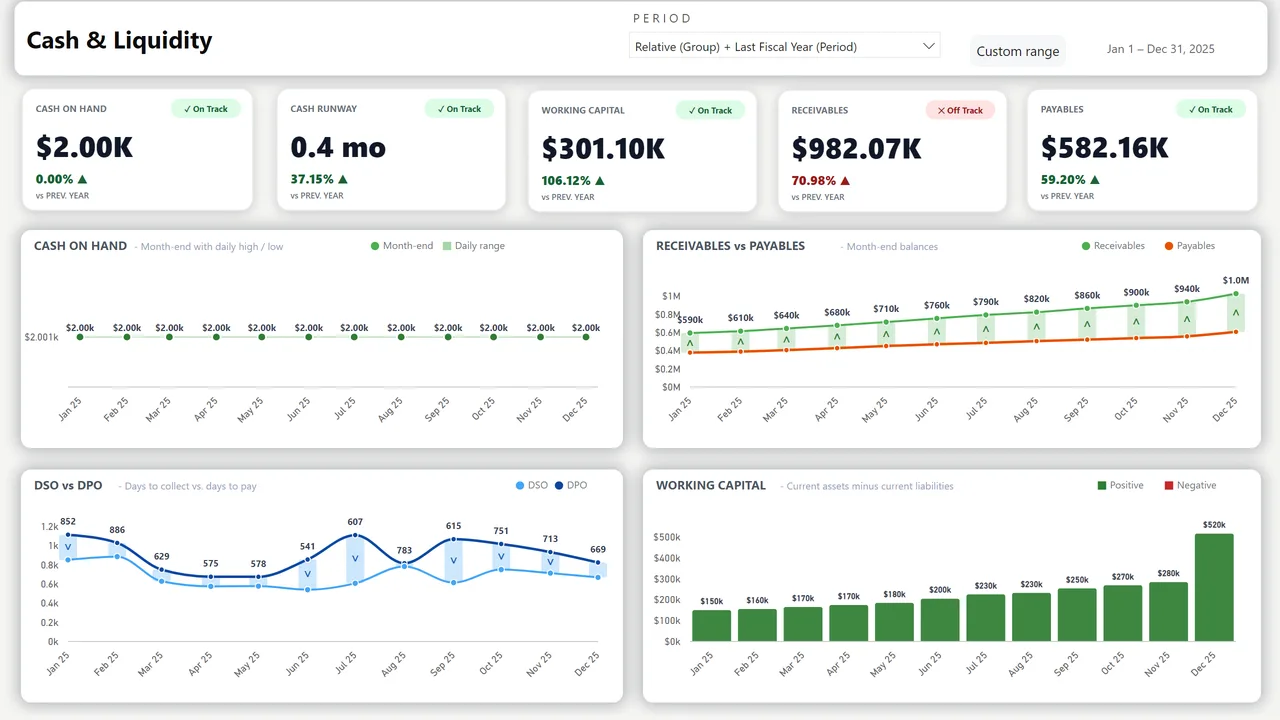

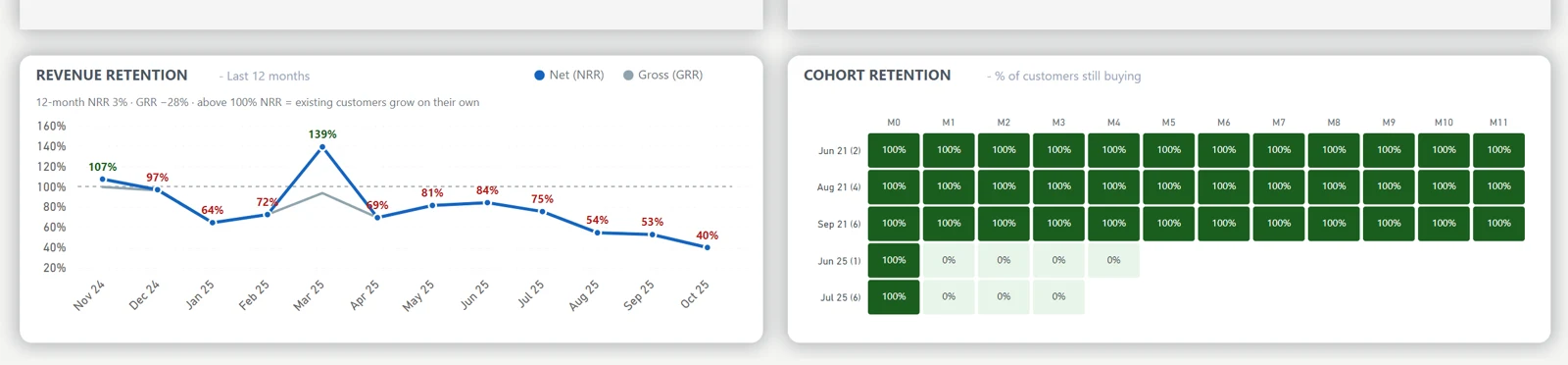
All screenshots use QuickBooks sample company data.
Questions
Common questions
Which version of QuickBooks does BooksDash work with?
QuickBooks Online. QuickBooks Desktop is not supported.
How often do the reports update?
BooksDash syncs your QuickBooks Online company on a schedule, up to once a day, and the reports update after each sync.
Do I have to build any reports?
No. The reports come ready-made: Executive Summary, Revenue, P&L Detail, Customers and Receivables, Cash and Liquidity, and P&L Category Detail.
Can I share the numbers with my team or board?
Yes. Every report exports to PDF and PowerPoint.
Who can see my data?
Each company sees only its own data. Your reports never show another company’s numbers.
Does it support multi-currency companies?
Not yet. BooksDash currently reports in a single home currency, so multi-currency companies should wait for a later release.
How much does it cost?
Pricing will be announced when BooksDash opens more widely. Request early access and we’ll share it with you first.
Opening to a small group first
Tell us what you use today and which report you’re missing. We’ll let you know when there’s a place for you.
Request early access